In most cars, the stereo isn’t actually getting weaker at highway speeds. The sound seems quieter because road and wind noise mask the music, particularly the midbass and lower midrange. In other cases, a setting like speed-sensitive volume (automatic volume compensation tied to vehicle speed) or a factory limiter is changing output as conditions change.
The fix depends on whether you’re dealing with a perception problem, an automatic audio feature, or an amplifier/signal issue.
Fast Checks That Solve Most Highway Volume Complaints
- Confirm whether the volume is truly dropping or if road noise is masking it by testing the same song at the same volume on a quiet street versus the highway.
- Turn off speed-sensitive volume (sometimes called SCV, ASL, SVC, or Dynamic Volume) to rule out automatic volume behavior.
- Disable volume leveling and loudness features to prevent the system from compressing or reshaping music as noise changes.
- Check Bluetooth source settings like volume normalization and phone volume limits if the problem only happens while streaming.
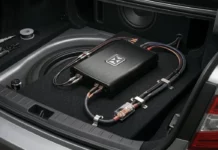
- Check your amplifier and wiring for heat after a long drive to rule out thermal protection or a loose power/ground connection.
Road Noise Masking Is the Most Common Cause
Highway driving increases broadband noise in the cabin. That noise competes with the same frequency range that carries punch, vocals, and rhythmic definition.
This is why many people describe the problem as “losing volume,” even when the head unit’s volume number never changes. The system may be playing the same level, but your ears are hearing less usable detail because the noise floor rose.
What it sounds like
- Vocals feel recessed
- Kick drum and bass lines lose definition
- You keep turning the knob and it still doesn’t feel louder
What usually helps
- More midbass capability in the doors (not just more tweeter)
- Proper high-pass filtering for the door speakers so they stay clean at higher volume
- Better subwoofer integration so bass doesn’t disappear into cabin noise
- Basic sound damping in doors to reduce panel noise and improve midbass efficiency

Speed-Sensitive Volume Settings Can Change Output Automatically
Speed-sensitive volume is an automatic feature that adjusts volume based on vehicle speed. It’s meant to compensate for road noise, but it can feel wrong if it’s set too aggressively or if the system is already tuned bright.
Common names vary by brand:
- Speed Compensated Volume (SCV)
- Automatic Sound Levelizer (ASL)
- Speed Volume Control (SVC)
- Dynamic Volume
What it looks like
- The volume changes even if you don’t touch the knob
- The tonal balance shifts as speed changes
- It happens on every drive in a repeatable way
Solutions
- Turn it off first, then re-evaluate
- If you like the concept, set it to the lowest effective level
- Recheck EQ after changing it because it often interacts with perceived brightness
Factory Limiters and Compression Can Make It Feel Like Volume Stops Rising
Some factory systems use built-in protection strategies that reduce bass or compress dynamics as volume rises. This is common in OEM systems that are trying to protect small door speakers and factory subwoofers.
Two behaviors matter:
- Dynamic range compression reduces the difference between loud and quiet parts so the system sounds “controlled,” but it can remove impact at speed.
- Bass roll-off reduces bass as volume increases to protect speakers, which can make the system feel thinner the louder you go.
What it sounds like
- Turning up doesn’t add impact, it just adds harshness
- Bass fades as you increase volume
- The system feels loud but not full
Solutions
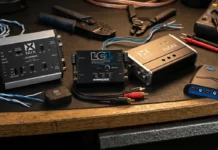
- If you’re staying on the factory radio, consider signal correction (DSP or an integration amp designed for OEM behavior)
- Add a subwoofer with proper input integration so you’re not relying on factory bass behavior
- Set crossovers so door speakers aren’t being asked to do subwoofer work
Bluetooth and Phone Settings Can Create “Volume Drop” Symptoms
If the problem mainly happens when streaming, the source device may be changing level or dynamics.
The biggest culprits:
- Volume normalization in the music app (attempts to keep tracks at similar loudness)
- EQ or loudness enabled on the phone and on the head unit at the same time
- Phone volume limits or hearing protection settings
- Navigation prompts that duck audio more than expected
Solutions
- Turn off normalization to test
- Set the phone volume consistently high, then set listening level at the head unit
- Avoid stacking EQ between phone and stereo unless you’re doing it intentionally
Amplifier Protection and Wiring Issues Can Cause Real Output Loss
If you’re running an aftermarket amplifier, a true drop in output can happen when the amp protects itself.
Common causes:
- Thermal protection from poor ventilation or too much sustained load
- Voltage drop from undersized wiring, weak ground, or a loose connection
- Impedance too low (the ohm load is lower than the amp is stable for), which raises current and heat
- Clipping (distortion from running out of clean output), which increases coil heat and can trigger protection
Quick checks
- Touch-test the amp carefully after the issue occurs. If it’s extremely hot, suspect thermal protection.
- Check the ground point for paint, looseness, or corrosion.
- Verify subwoofer wiring matches the amp’s stable impedance rating.
Quick Diagnosis Table
| What You Notice | Most Likely Cause | Best First Fix |
| No knob movement, music feels quieter at speed | Road noise masking | Improve midbass, add damping, refine crossovers |
| Volume changes as speed changes | Speed-sensitive volume feature | Turn off SCV/ASL/SVC, retest |
| Bass fades as you turn it up | Factory bass roll-off or limiting | Integration solution, add sub, use DSP if needed |
| Only happens on Bluetooth | Phone/app normalization or limits | Disable normalization, set phone volume consistently |
| Gets quieter after 20–40 minutes | Amp thermal protection | Improve airflow, verify load, recheck gains |
Practical Fixes That Work in Most Cars
Start With Settings, Not Parts
Disable speed-sensitive volume and volume leveling first. Those features can fight your tuning and create inconsistent results.
Protect Door Speakers So They Stay Clean at Speed
High-pass filtering keeps door speakers from overheating and distorting when you turn it up. Cleaner speakers at higher volume often feels like “more volume” even at the same SPL.
Add Midbass, Not Just Treble
Highway noise masks midbass heavily. If your system is thin, turning up often just increases harshness. A stronger midbass foundation makes the same volume setting feel fuller.
Treat the Cabin Like Part of the System
Door sealing and damping don’t just reduce rattles. They improve midbass efficiency, which helps the system hold up when road noise rises.
If You’re Amplified, Verify Power Delivery
A stable ground, correct wire gauge, and proper gain setting are what keep output consistent during long drives.
Closing Guidance
A stereo that seems quieter at highway speeds is usually reacting to one of three realities: rising road noise, automatic volume features, or a system hitting its limits and protecting itself. The right solution comes from identifying which category you’re in first, then fixing the bottleneck instead of chasing volume.
If you tell me whether you’re on a factory head unit or aftermarket, and whether you’re using an external amp, I can narrow this to the two most likely causes and the fastest fix path.
About The Authors

Benjie B.
Benjie has been writing automotive content for six years, and he loves the idea of democratizing knowledge through well-written and easy-to-understand content. He particularly enjoys the learning process behind writing and he’s fascinated by how vehicles and how the systems behind them work. Now, his work at Sonic Electronix has exposed him to the rabbit hole that is car audio systems, and he now wants to upgrade his family’s 20-year-old Toyota Yaris with a high-fidelity system someday. He enjoys watching content creators on YouTube, and he’s currently an avid cyclist, training so that his friends don’t leave him behind on group rides.

Norman R.
Norman is a Senior Tech Support and Test Bench Representative for Sonic Electronix, with over 25 years of experience in building car audio systems. He enjoys working with car audio and the opportunity to showcase various products to potential customers. He also finds joy in working with the R&D team, as he gets to see future products and the company’s growth. A hot-rodder and basshead through and through, Norman is extremely passionate about fast, loud, and low cars. In his spare time, he frequently attends car shows and builds big stereos and hot rods. He hopes to one day pass on his skills and knowledge to his son.